Mysql主从原理
准备环境
master 192.168.1.110 mysql Ver 8.0.23 for Linux on x86_64
slave 192.168.1.111 mysql Ver 8.0.23 for Linux on x86_64
master 设置
1
2
3
4
5
6
| /etc/my.cnf
[mysqld]
## 同一局域网内注意要唯一
server-id=100
## 开启二进制日志功能,可以随便取(关键)
log-bin=mysql-bin
|
重启mysql
1
| systemctl restart msyqld
|
创建slave用户
1
2
3
| mysql> CREATE USER 'slave'@'%' IDENTIFIED BY 'zxc321';
##给予slave REPLICATION SLAVE,REPLICATION CLIENT权限用于主从数据库同步数据。
mysql> GRANT REPLICATION SLAVE, REPLICATION CLIENT ON *.* TO 'slave'@'%';
|
查看master状态
1
2
3
4
5
6
7
| mysql> show master status;
+------------------+----------+--------------+------------------+-------------------+
| File | Position | Binlog_Do_DB | Binlog_Ignore_DB | Executed_Gtid_Set |
+------------------+----------+--------------+------------------+-------------------+
| mysql-bin.000002 | 616 | | | |
+------------------+----------+--------------+------------------+-------------------+
1 row in set (0.00 sec)
|
由于安装的msyql版本为8.0的如果不进行下面配置会提示报错
1
| 2021-03-06T13:05:02.551439Z 18 [ERROR] [MY-010584] [Repl] Slave I/O for channel '': error connecting to master 'slave@192.168.1.110:3306' - retry-time: 30 retries: 11 message: Authentication plugin 'caching_sha2_password' reported error: Authentication requires secure connection. Error_code: MY-002061
|
我们将mysql master密码规则改为mysql_native_password
1
2
| mysql> alter user 'slave'@'%' identified with mysql_native_password by 'zxc321';
flush privileges;
|
slave设置
1
2
3
4
5
6
7
8
| /etc/my.cnf
[mysqld]
## 设置server_id,注意要唯一
server-id=101
## 开启二进制日志功能,以备Slave作为其它Slave的Master时使用
log-bin=mysql-slave-bin
## relay_log配置中继日志
relay_log=edu-mysql-relay-bin
|
重启mysql
1
| systemctl restart msyqld
|
进入mysql配置
1
| mysql> change master to master_host='192.168.1.110', master_user='slave', master_password='zxc321', master_port=3306, master_log_file='mysql-bin.000002', master_log_pos= 616, master_connect_retry=30;
|
slave命令
1
2
3
| start slave 启动
stop slave 关闭
show slave status \G 查看
|
 1
 2
 3
 4
 5
 6
 7
 8
 9
10
11
12
13
14
15
16
17
18
19
20
21
22
23
24
25
26
27
28
29
30
31
32
33
34
35
36
37
38
39
40
41
42
43
44
45
46
47
48
49
50
51
52
53
54
55
56
57
58
59
60
61
62
63
64
65
66
67
| mysql> show slave status \G
*************************** 1. row ***************************
Slave_IO_State: Waiting for master to send event
Master_Host: 192.168.1.110
Master_User: slave
Master_Port: 3306
Connect_Retry: 30
Master_Log_File: mysql-bin.000002
Read_Master_Log_Pos: 801
Relay_Log_File: edu-mysql-relay-bin.000002
Relay_Log_Pos: 509
Relay_Master_Log_File: mysql-bin.000002
Slave_IO_Running: Yes
Slave_SQL_Running: Yes
Replicate_Do_DB:
Replicate_Ignore_DB:
Replicate_Do_Table:
Replicate_Ignore_Table:
Replicate_Wild_Do_Table:
Replicate_Wild_Ignore_Table:
Last_Errno: 0
Last_Error:
Skip_Counter: 0
Exec_Master_Log_Pos: 801
Relay_Log_Space: 722
Until_Condition: None
Until_Log_File:
Until_Log_Pos: 0
Master_SSL_Allowed: No
Master_SSL_CA_File:
Master_SSL_CA_Path:
Master_SSL_Cert:
Master_SSL_Cipher:
Master_SSL_Key:
Seconds_Behind_Master: 0
Master_SSL_Verify_Server_Cert: No
Last_IO_Errno: 0
Last_IO_Error:
Last_SQL_Errno: 0
Last_SQL_Error:
Replicate_Ignore_Server_Ids:
Master_Server_Id: 100
Master_UUID: 2a56788f-7e61-11eb-a92d-000c29d71937
Master_Info_File: mysql.slave_master_info
SQL_Delay: 0
SQL_Remaining_Delay: NULL
Slave_SQL_Running_State: Slave has read all relay log; waiting for more updates
Master_Retry_Count: 86400
Master_Bind:
Last_IO_Error_Timestamp:
Last_SQL_Error_Timestamp:
Master_SSL_Crl:
Master_SSL_Crlpath:
Retrieved_Gtid_Set:
Executed_Gtid_Set:
Auto_Position: 0
Replicate_Rewrite_DB:
Channel_Name:
Master_TLS_Version:
Master_public_key_path:
Get_master_public_key: 0
Network_Namespace:
1 row in set, 1 warning (0.01 sec)
#以下两项都为Yes则说明主从已经开启
Slave_IO_Running: Yes
Slave_SQL_Running: Yes
|
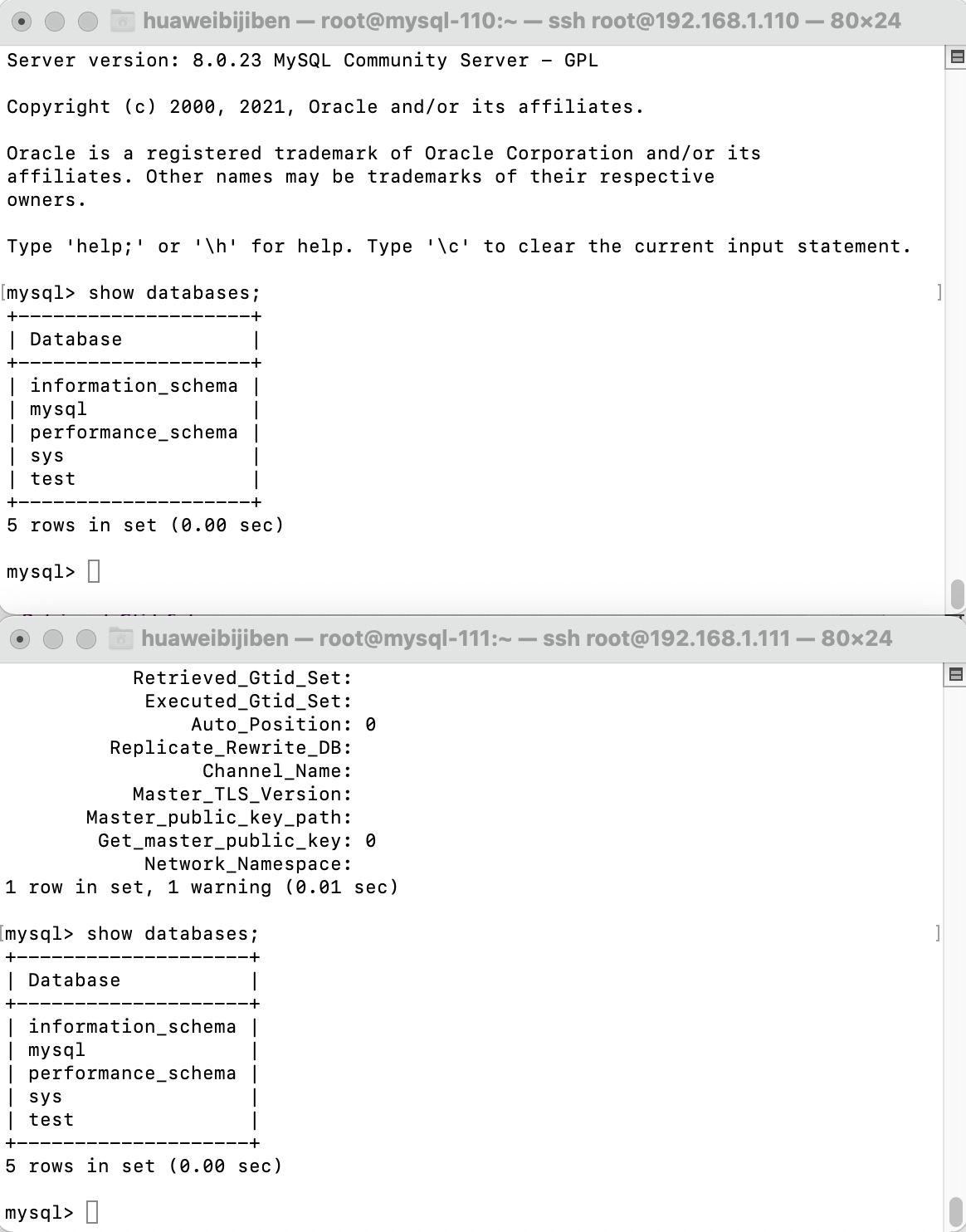
测试
在master创建test数据库